Every USB Port COLOR Explained in 13 Minutes
961K views · Jul 31, 2026 · People & Blogs

Comments · 1.1K
@panther105 · 3 months ago · pinned
I feel like a white port.....
243
@thegamerguy992 · 3 months ago
"white means your computer is old enough to vote" is lowkey crazy
638
@RemedyRob69 · 3 months ago
The background mouse clicks became a major source of annoyance.
560
@EdTheUser · 3 months ago (edited)
Micro USB: If I don't move he won't see me <br><br>Edit: so proud of my 699 likes
780
@linuxandtrains · 3 months ago
On my old Lenovo Yoga, the orange port was the charging port. Yes, Lenovo made a laptop charge via USB-A.
356
@przemysawbrzezinski7602 · 3 months ago
Tldr: they had meanining now they are cosmetic.
315
@Exoreya · 3 months ago (edited)
Usb color coding was a good idea in theorie, but got pretty much derailed by manufactures doing whatever they want.<br>next up: make a video about the different types of usb-cables, there are more differences than you realise (and most of the cables won't tell you anything about it)
183
@007bistromath · 3 months ago (edited)
I really like how the connector that was made specifically to address connector confusion is so confusing a video explaining it is indistinguishable from The Onion
35
@kouroshhakhamanesh7201 · 3 months ago
You missed something, Orange is used by a Chinese manufacture to imply fast charging (Xiaomi) and same goes for purple about Huawei, those companies use different Fast charging technology (their own)
126
@RandomGuyPlayz99 · 2 months ago
<a href="https://www.youtube.com/watch?v=r2sBNRWcvTY&t=50">0:50</a> ‘One port to rule them all’
8
@vitorzumkeller8070 · 3 months ago
<a href="https://www.youtube.com/watch?v=r2sBNRWcvTY&t=695">11:35</a> youre welcome
29
@cylisplaysgames · 3 months ago
You forgot that some manufacturers use a green port for BIOS/UEFI Flashback, where plugging a USB drive with a bios update file in the root of the drive plugged into that port will automatically trigger a bios update immediately after POST.
50
Up next

Every Hidden Advantage of Display Port Types Explained!
Mr. Byte · 232K views

Every Web Browser Explained in 13 Minutes
PC Explainer · 423K views

Every Resolution Explained in 14 Minutes (Spoiler: 8K = Garbage)
Just Explained · 260K views
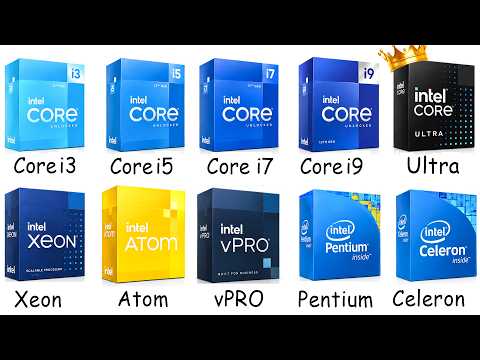
Every Intel CPU Explained in 18 Minutes
Just Explained · 595K views

DDR1 to DDR5 Explained in 11 Minutes (Don't Overpay!)
How exe · 3.6K views

The Frustrating Reality of USB-C (and why it never works) | Simple but Surprising
Simple but Surprising · 2.6M views

Android 17 sucks. So I put Linux on a phone.
Switch and Click · 2.1M views

Every Hidden Advantage of Every TV Input Explained!
Mr. Byte · 44K views

Every Computer Myth You Still Believe Explained in 30 Minutes
PC Explainer · 4.4K views

How to Pick the Perfect USB Cable (Don't Get Scammed)
Suby Techie Gigs · 305 views

Every Computer Port Explained in 10 Minutes
PC Explainer · 70K views

Every Computer Port Explained in 9 Minutes
Byte Sized Explainer · 613K views

Totally Incorrect Facts EVERYONE Still Believes
Everything Professor Compilations and EverythingProfessor · 695K views

Piracy Is Back. You Can't Steal What They Never Sold
Uncle Nav · 2.4M views

Every Smart TV OS explained in 13 Minutes
Just Explained · 261K views

Every USB Type Explained in 14 Minutes
explainerguy01 and Explainer Chris · 112K views

Every Web Browser Explained in 20 Minutes
Explainer Chris and explainerguy01 · 830K views

Every Worst AMD GPU Ever Made Explained in 15 Minutes
Pixel Pete Explains · 2.8K views

Every Dangerous Hacking Gadget Explained in 12 Minutes!
Mr. Byte · 861K views

Every DDR RAM Explained in 8 Minutes
Byte Sized Explainer · 1.3M views