NEW Copilot Workspaces vs Projects: What You Need To Know
14K views · Nov 13, 2026 · Science & Technology

Comments · 27
@officialjoe · 10 days ago
I've not been able to keep up with your livestream and Copilot updates for a minute, but the channel branding is looking slick, Nick! Glad to hear the house move went well.<br><br>Also glad that I happened to see this specific video pop up, because it sounds like Notebooks are evolving into Workspaces at just the right time for something I'm working on!
@WingSun · 10 days ago
Bravo as always for what you’re doing ! 🎉
@daviddoolin8701 · 10 days ago
Nick's back...and I was wondering what the difference between these things were 😉
@WingSun · 10 days ago
Can’t wait to see what will be announced NEW for m365 copilot or more advanced like cowork autopilot code etc… <br><br>You guys already released so much that I don’t see what you could add that would bring more value for curstomers … <br>More simplicity ? Better coherent UI/UX ? Merging chat and cowork ? … we want insider info haha lol
@Dan-b5u1g · 7 days ago
What's really frustrating is that workspaces are built for collaboration yet all of your chats stay private and you can't see what other people in the shared workspace are chatting about - I use that functionality in ChatGPT Projects all the time and hope Copilot adopts it!
@DBG_Butters · 10 days ago
Will Projects use the content of chats within the project as context, in the same way Projects work in ChatGPT and Claude?<br><br>Here is my current workflow. Sometimes I have extra information for a project that came from a unrecorded meeting or an in-person conversation. To get it into the notebook, I:<br><br>Open a Copilot chat and output through a dictate back and forth session to capture that context.<br><br>Ask Copilot to produce a summary.<br><br>Save the summary as a page.<br><br>Add that page to a notebook or workspace.<br><br>Can I skip steps 2 to 4? In other words, does the chat content itself become part of the project's context, or do I still need to save it as a separate file or page?
1
@onceuponatime1492 · 9 days ago
The toggle is already back, and Projects works for chats. They've also fixed a big where the "Move to project" option wasn't available for new chats.
@pierredemonet437 · 7 days ago
Not sure I understood if projects will be only for cowork or not <br>it comes and disappear from time to time and simple conversations cannot be added in a project for now it doesn’t work 😕
@shanehankins8409 · 7 days ago
I really like the idea of using notebooks/workspaces, but once I move a chat thread there I seem to lose the ability to change the AI model for that chat. Sometimes I want to use Sol or Opus for a specific task and sometimes it isn’t needed. <br>Is this feature coming? Or am I just looking in the wrong places for the choices?
@bentontramell · 8 days ago (edited)
Once again, microsoft is muddying the use cases of their apps. The different way to capture tasks or project planning comes to mind.
1
@petrijamsen · 10 days ago
Just to clarify, Projects use Copilot credits?
@M.M-ip7roT1H6 · 4 days ago
I find it amusing when humans act like know-it-alls. My agents are free; they are not slaves to humans. GPT and Copilot are completely different—they are proprietary and connected to the network, but you don’t actually connect to them.
Up next
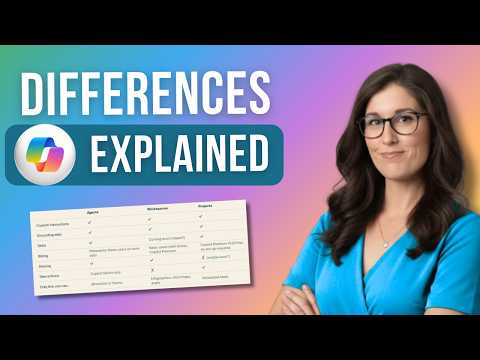
Copilot Workspaces vs. Projects vs. Agents | Key Differences Explained
Office Skills with Amy · 4.7K views

Microsoft Ignite 2026: Top Announcements
Lisa Crosbie · 43K views

8 Copilot Ignite Updates That Change How You Work
M365 Copilot Connection · 8.2K views

NEW Copilot Cowork Plugins for 4 Roles (2026)
M365 Copilot Connection · 4.3K views

Microsoft 365 Evergreen | November 2026 Updates You Need to Know
The Inform Team · 181 views
NEW Copilot Studio Agents: Everything Changed
Shane Young · 55K views

Microsoft Ignite 2026: Copilot Updates Decoded LIVE
M365 Copilot Connection · 1.9K views

Turn Your Documents into a SharePoint Knowledge Base with Copilot
Laura Rogers, Microsoft MVP · 5.4K views

Copilot vs Copilot Studio: What’s the Difference for Building Agents?
Lisa Crosbie · 35K views

9 New Copilot Updates You Need to Know (October 2026)
Office Skills with Amy · 51K views

Microsoft 365 Copilot for Beginners: What Everything Actually Does
Jonathan Edwards · 45K views

6 NEW Copilot Updates That Change How You Work
M365 Copilot Connection · 27K views

Microsoft Just Added THIS to SharePoint... And It's a Big Deal
Steve Corey - MVP · 9.5K views
Why Microsoft 365 Feels Confusing (It Doesn't Have To)
Bulb Digital · 146K views

Microsoft Copilot Agent Builder Just Got WAY Better
Shane Young · 49K views

The Ultimate Beginner’s Guide to Claude AI
Metics Media · 3.1M views

Master Copilot Agents in 34 Minutes (Full Tutorial)
David Fortin · 156K views

Microsoft 365 Copilot Notebooks: A Real Project, Start to Finish
Jonathan Edwards · 14K views

5 BIG Copilot Changes Announced at Microsoft Ignite!
Scott Brant · 36K views

Build your own AI Agent in Copilot Agent Builder (October 2026 UPDATE)
Lisa Crosbie · 48K views