New to Ubiquiti? Video Series #5 - Zoned-Based Firewall Rules
46K views · Jan 29, 2026 · People & Blogs

Comments · 176
@MrRonster34 · 12 days ago
This was a fantastic series of videos, and I appreciate that they leverage fairly current (as of 11/12/26) UniFI versions. I have already applied many of your suggested parameters prior to transitioning to Zone-Based Firewall rules. Wish me luck!
@russelldehart2362 · 7 months ago
Brilliant! I don’t think I’ve ever seen it explained with such clarity and thoroughness while remaining so easy to understand.
9
@tumbnl · 9 months ago
Nice to see that you actually update your newbie videos. <br>I already learned a lot from the older ones, and with these new videos I can make much more progress in getting familiar with the Unify network. <br>Thanks again for the videos — I’m going to enjoy them for a long time.
9
@Stuart-p3y · 9 months ago
Tim, thanks for taking the time to time to do these tutorials. You teach at just the right level for a home punter. Greatly appreciated.
5
@kflamm · 3 weeks ago
Tim, thank you for such excellent and informative videos. I’m preparing to build a home network and your videos have confidence to proceed.
@nickhannay8401 · 6 months ago (edited)
Home Assistant is an untrusted device and I required it to access Unifi on port 443, for local configurations. I added a new Rule for Home Assistant to access Unifi by permitting the LAN Port that Home Assistant supervisor is connected to have access to Port 443. Once done ensure that this Allow is prior to the Block rules. Thanks, this has been a great series of videos which apply best practice, and enough knowledge to enable my setup to be secure and fit for my own specific needs. Thank you from Down Under
3
@DavidSchaefer-zy8ck · 2 weeks ago
Great content…very helpful for us new to Ubiquity! It would be great to have a session on a Gaming VLAN. With all the port forwarding rules etc, I’m sure a Gaming VLAN would have some unique firewall rules etc.
@NkySpike65 · 8 months ago
Love the videos, they helped out a ton. Thank You!<br>Could you "please" do a video on how to turn on and setup IPv6 in a network.<br>A lot of new smart home deviecs use Matter, which requires your home network to be running IPv6 in order for the devices to pass on credentials to your smart home controller.<br>There are a few videos out there but none are really clear on setting it up and creating rules in a UniFi Network using IPv6.<br><br> Thanks again!
15
@dfranco42 · 3 months ago
Great series! You have a gift for explaining something as complicated as a full network setup including firewall zones/rules and making it so easy to understand. Can't wait to see what your next videos will be about.
@pghogback · 2 months ago
Hi and Thanks for a Great serie. You have a gift for explaining the network setup including firewall zones/rules and making it so easy to understand even for old Swede...
@devnulldroid · 9 months ago
Excellent Video Series. I don't own a single piece of Ubiquiti hardware. I still found these videos very helpful as I went into this series with the view of "networking is networking", just the interfaces are different. Thank You again
1
@MikesHomeNetwork · 9 months ago
First of all. I like to thank you for updating your year old videos. It's nice seeing these videos with today's software(unifi). Your last 5 videos answered some questions I had from your older videos. Thanks again.
1
Up next

New to Ubiquiti? Video #1 - Getting your Gear Online
Ethernet Blueprint · 95K views

New to Ubiquiti? - Video#2 - VLANs, Wi-Fi & Switchports
Ethernet Blueprint · 78K views

Ubiquiti U7 Pro XGS vs Pro Max vs Pro - Is XGS Worth It?
Hobby with Adam · 2.1K views

Your Smart TV Is Spying On You - Here's How to Lock It Down
Crosstalk Solutions · 233K views
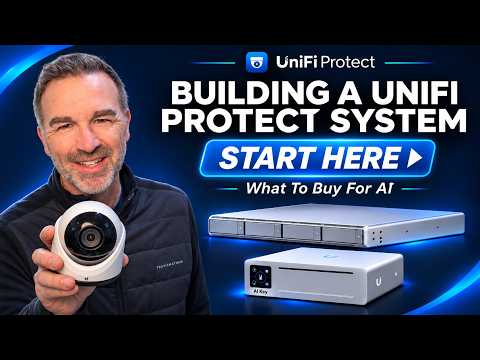
New to UniFi Protect? Watch Before You Buy!
Ethernet Blueprint · 15K views

UniFi Firewall Defaults Are Too Open: Here’s How to Lock Them Down
Lawrence Systems · 185K views

UniFi Zone Firewall Rules Explained – Secure Your Network
Lawrence Systems · 135K views

A DREAM Setup for your Dream Router 7
Ethernet Blueprint · 140K views

The Most Important Cyber Attack in History
Cybernews Kernel and Cybernews · 26K views

The 7 UniFi Mistakes Most People Make in 2026
WunderTech · 113K views

Secure your VLANS - UniFi Zone Based Firewall Rules
SpaceRex · 48K views

UniFi For Newbies - Who is Unifi for and How it Works
Ethernet Blueprint · 92K views

Should a Beginner Use ChatGPT to Set Up Their UniFi Network?
Ethernet Blueprint · 35K views

How to use Zone Based Firewalls - Step by Step Tutorial
Ethernet Blueprint · 75K views

What Happened to WD Red? The Hard Drives That Secretly Changed Inside—Owners Found Out the Hard Way
What Powered America and 3 more · 42K views

Full UniFi Config - Setup from Start to Finish
Ethernet Blueprint · 197K views

UniFi for Newbies - Securing with Firewall Rules
Ethernet Blueprint · 107K views

How to secure your business network with UniFi Zone-Based Firewall
Bogdan | Apex One IT · 62K views

The Rules You Need to Secure Your UniFi VPN
Lawrence Systems · 65K views

UniFi Firewall Mistakes to Avoid – 5 Best Practices
WunderTech · 45K views