How to use PHOTOSHOP LAYER MASKS + 7 TRICKS with masks
280K views · May 22, 2018 · Howto & Style

Comments · 450
@photoshopcafe · 8 years ago · pinned
Check out my Tutorial on Layer Blending Modes: <a href="https://www.youtube.com/watch?v=z9bIkfWRQuk&list=PLoyFEvCXqBkyNzQl6XPpemry45hPYeoFB">https://youtu.be/z9bIkfWRQuk?list=PLoyFEvCXqBkyNzQl6XPpemry45hPYeoFB</a>
16
@Deceptibot94 · 7 years ago
This is legitimately the most easy to follow Photoshop tutorial i have ever watched.
45
@Furqankhurshid75 · 6 years ago
I am dumb and i have seen thousands vedio on layer and layers mask but couldn’t understand it but this man taught me in 14 minutes perfectly thank you sir you are a master
@ThePeteutube · 6 years ago
FINALLY someone knows how to teach layer masks in ps. Thank you.
26
@stevegorman5337 · 4 years ago
I’m a beginner to Photoshop. The first few videos I watched were from people who talk so fast that you can’t even follow what they’re doing on the screen. This gentleman is easy to understand and has the ability to talk to beginners in a way that is more user-friendly. I highly recommend watching these videos!
@rosesmith239 · 8 years ago
I basically use this method to create shade or mirror effects on a product photo, I call it something to be done without any harm. This is a great way to save us a lot of time.
@robinbird53 · 5 years ago
Revisiting photoshop after years of absence. Your tutorials are great.
2
@notmyname8527 · 6 years ago
I knew all but I liked the idea of the lion hair used on the girl.
@19nightsky91 · 6 years ago
X to swap colours is a major key!
@DonaldKuhnert · 3 years ago
Great I am getting to understand what masks and layers are about.Well done Colin.
@Renkrew65 · 5 years ago
I had an intermediate class and knew about it. But your tutorial helped me relearn what I couldn't remember from the class I took over a year ago. Thank you. Wanted to improve a sunset picture.
@leehurley4106 · 5 years ago
Great video. I am just learning masks and now realize I didn't know much.
Up next
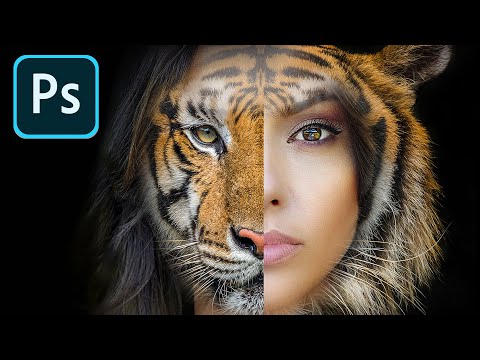
How to use Photoshop layer masks for beginners
photoshopCAFE · 705K views

How to Change ANY Color in Photoshop (Even Difficult Ones)
photoshopCAFE · 29K views

Using Layer Masks in Photoshop - Day 6
PHLEARN · 29K views

Photoshop Layer Masks Explained
Sean Bagshaw · 42K views

2 Easy Tricks to Remove White Edges or Fringes from Cut-Outs in Photoshop
PiXimperfect · 847K views

5 Pro Photoshop Masking Tricks You Don't Know (Probably)
Photoshop Training Channel · 417K views

How to use Photoshop layers for beginners,
photoshopCAFE · 108K views

Master Photoshop Layer Masks | Step-By-Step Tutorial
Bring Your Own Laptop · 15K views

REMOVE BACKGROUND in Photoshop (3 BEST WAYS to cut out hair, trees +)
photoshopCAFE · 113K views
Photoshop Tutorial - Photoshop Layers and Layer Masks for beginners
Ed Gregory · 146K views

turn ANY PHOTO to WATERCOLOR painting in PHOTOSHOP
photoshopCAFE · 224K views

10 Amazing Photoshop MASKING Secrets, Tips, and Tricks (You Probably DON'T Know!)
Photoshop Training Channel · 308K views
Layer Mask - Photoshop for Beginners | Lesson 4
PiXimperfect · 1.5M views

How To Use Layer Masks In Photoshop - The EASY Way To Learn
Brendan Williams · 162K views
Master Hair Selection - Best Technique for Every Situation
PiXimperfect · 475K views

Photoshop Layers and Masks for beginners
Dean Cooper Photography · 21K views

Photoshop SMART OBJECTS explained using 7 HOT TIPS
photoshopCAFE · 90K views

How to Combine Photos in Photoshop for beginners (compositing)
photoshopCAFE · 321K views

How to Shoot the Pep Ventosa Technique (Step-by-Step Guide)
The Global Photography Community · 203K views

The 19 Adjustment Layers in Photoshop Explained
Dansky · 250K views