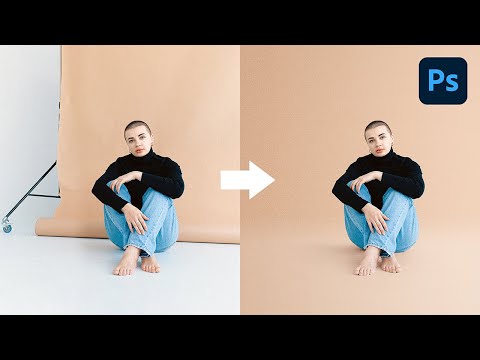
Fix backgrounds in Photoshop
197K views · Aug 12, 2016 · Film & Animation

Comments · 121
@lovesickfungus · 4 years ago
For anyone confused to invert the layer mask, its ctrl + I on windows and command + I
38
@natalicalderon340 · 6 years ago
<a href="https://www.youtube.com/watch?v=fct2noqXmVE&t=180">3:00</a> 🕒 Invert: Ctrl+I / Command+I
14
@teddygustave5198 · 7 years ago
I feel like this video is an unfinished product, you did all that but didn't show us how to make a finish product. once I fill in the content how do I fine tune the edge of the subject to make the person blend with the background.
17
@carloskuan · 4 years ago
Trying to delete some annoying crap on a photo for a few days with different techniques. Finally this one made it through. Thanks a lot.
2
@bala1000mina · 2 years ago (edited)
Thank you for the helpful tutorial, I expected that you would explain about the floor part as well. Good luck!
@traceysdiynetwork · 2 years ago
Great video! Perfect for what I needed. Thank you so much!!!
2
@suzannes4619 · 6 years ago (edited)
I don't understand the part where you 'invert' the layer <br>- mine doesn't come out like yours -
6
@isaacrurengo4690 · 8 years ago
I love you moovieboy. If you run for office you have my vote and I don't care for your policies.
1
@ngoanhkhoi5497 · 6 years ago
I love your voice and the way you show everybody tutorial.. just relax and funny
@blackangel570 · 8 years ago
this is the best photoshop tutorial I've ever watched! thank youuu
2
@justC__ · 2 years ago
Your video is very helpful, very good, thank you!!
@BallerinaBadass · 10 years ago
Love it - very helpful AND funny. Can't wait to see what the design geeks think!
3
Up next

How To Extend A Tricky Backdrop in Photoshop
Fatima Photography · 13K views

Remove Shadow with This EASY Photoshop Trick!
PiXimperfect · 724K views

How to Clean Wrinkly Backdrops in Photoshop
PiXimperfect · 542K views
Create Flawless & Seamless Backdrops with Photoshop
PiXimperfect · 2.7M views

Clean Up Studio Backgrounds using AI in Photoshop
PHLEARN · 133K views

How to Extend Backdrop in Photoshop (Tutorial)
Jonathan Ayers Wildlife Photographer · 9.5K views

The Real Problem With "Purist" Photography.
Mads Peter Iversen · 76K views

How to Clean and Smooth Out Wrinkly Backdrops - Photoshop Tutorial
Big Smile Editing · 15K views

The Easiest Way to Clean Backdrops in Photoshop
PiXimperfect · 759K views

The EASIEST Way To Remove Objects In Photoshop
Brendan Williams · 279K views

Dolly Parton Told the TRUTH About Jimi Hendrix on TV—Jimi Walked On Stage Did The Unexpected
Jimi Hendrix: Beyond the Blues · 505K views

Simple COLOR GRADE Trick To Make Your Photo "Pop" (Look MORE 3D!)
Justin Laurens · 1.6M views

Dodge & Burn FAST with 'Lines' in Photoshop!
PiXimperfect · 581K views

How To Clean A Seamless Backdrop In Photoshop
Prince Meyson · 109K views

How to Clean Backgrounds in Photoshop
PHLEARN · 328K views

Trump Pressures Nvidia to Reinstate CEO Jensen Huang & He Tries to Explain Calling Putin His Friend
Jimmy Kimmel Live · 4.4M views

Model PhotoShoot Background Cleanup Photoshop Full Tutorial
Gregory K Portraits · 14K views

The Tragic Fate of Albert Einstein's 3 Children
Upper Class Family and Study The Lifetime · 1M views

Why Even Orcas Fear These 3 Animals
LAREX · 5M views

Content-Aware Fill to Fix Bad Compositions in Photoshop
f64 Academy · 11K views