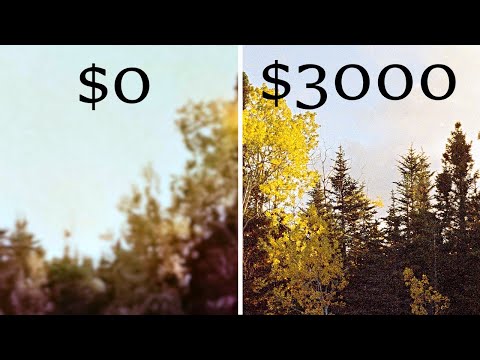
I Scanned My Film With 4 Different Scanners
94K views · May 13, 2024 · Education

Comments · 299
@itscapturedbysam · 2 years ago · pinned
If you would like to practice converting and color editing with my photo scan files, the link below contains 4 Hasselblad X5 scans and 2 Canon R5 Raw scans.<br><br>FREE DOWNLOAD: <a href="https://www.dropbox.com/scl/fo/br2ntphrym5ciylbkts5k/AHBU1ZFrdtX41SABiihEkK0?rlkey=lyug9frcr80xcxqmfqv0dky3y&st=vuel8g3h&dl=0">https://www.dropbox.com/scl/fo/br2ntphrym5ciylbkts5k/AHBU1ZFrdtX41SABiihEkK0?rlkey=lyug9frcr80xcxqmfqv0dky3y&st=vuel8g3h&dl=0</a>
45
@myronachtman4304 · 2 years ago (edited)
Very nice presentation... Having worked in photography for more than 50 years, I've concluded that if the viewer has no basis of comparison, a well-balanced image (color and contrast) will suffice. They will never be concerned with "what if this... or what if that." We can agonize ad nauseam over subtle variations, but in the end, how does that matter?
97
@ChecoM83 · 1 month ago
I haven’t finished watching the video yet, but I had to comment that this video is pure gold ❤. Such a great work! I love analogue photography and enjoy restoring photos as a hobby.
1
@StanleyKubick1 · 2 years ago
Honestly, I prefer your edits in most cases. I haven't checked in with you for a while and I'm blown away by how good your videography and editing have gotten
34
@AlphaApache · 11 months ago
in the moment the photos with the SP3000 appeared (especially the third one you showed/the model next to a red totem), my jaw dropped… that photo delivers everything I love about film, the pastel colors, the contrast in the right places, that pic is completely timeless<br>I had to pause the video to give 100% attention to each detail because it turned out impeccable, definitely my favorite
2
@kwacou4279 · 2 years ago
get the epson fluid wet mount accessory and watch your epson 850 come to life.
6
@ShaiYammanee · 5 months ago
This is such a wonderful comparison. Thank you so much. <br>I’ve been toying around with the idea of getting a dedicated film scanner for my studio, and I think you might have tipped the scales for me. <br><br>Having control over your image at this level makes such a difference. <br><br>Thank you again
1
@BlameBarky · 11 months ago
As a new film photographer, you've really opened my eyes a lot. It's a hobby now, because I can't even afford to buy film very often, let alone the 18$+ it takes to get the film scanned for digitals here in my town, but in the future, I'd love my photos to take me somewhere grand. Thanks so much for the early heads up!
4
@BarryMerrick-x7k · 9 months ago
If you use Silverfast software with your Epson V850 pro you have a lot more control over the scan, such as Negafix which has a very large film profiles already to preset the scanner and one other feature is multi exposure. I can’t use a lot of options as I am archiving negatives from 1972 . Sharpening etc is not acceptable in archiving standards. So far most of the negatives are Ilford fine grain FP4. Photo subjects are varied between underground mining to aerial images and portraits. The collection has over 200,000 images. It is worth the extra money for me.
2
@cjimcook · 1 month ago
If you ever do this sort of comparison again, I suggest also looking at:<br><br>1. What DPI are you scanning to? Using a camera as a scanner limits you to whatever your camera produces. The Hasselblad might be expected to be higher. The Epson V850 has a 6400 x 9600 optical resolution assuming you select that.<br><br>2. Looking at the results, zoom into the fine details such as eyebrows or wisps of hair. Higher DPI can give you more fine detail assuming the negative has the focus and fine enough grain to provide it. Even if all output files were a low DPI, say 100 DPI, detail may be preserved if the negative was scanned at high DPI and then the downsampling software was good enough to preserve it.<br><br>The reason for mentioning all this is that we often don't use an image as shot. We crop and zoom and that requires higher initial DPI to avoid pixelation.<br><br>3. Review the tonal range. For example, look at the hair on the side of your model's head in the profile image at <a href="https://www.youtube.com/watch?v=cw8zFa8heyc&t=963">16:03</a>. The lab's processing and whatever lossy level of jpeg compression has lost the detail and texture. Blacks have been crushed as part of increasing contrast?<br><br>4. Lastly, use a resolution target to obtain the best focus possible. Compare the image center (typically the best focus) to the edge and corner focus (typically worse) as that may indicate optical problems, focus problems, or the negative not being flat.<br><br>Disclaimer: I am an engineer, not a photographer, so apologies for anything wrong in my post.
@ilikeinq · 1 month ago
I think the issue with the frontier sp3000 scans comes down to the lab. I've had the experience of not being happy with my first scans from one lab, taking them to another lab, and becoming beyond happy. Having a lab tech that cares and knows what you want is instrumental.
@garytorres2432 · 2 years ago
Thanks for sharing these insights. I love that the analog world is very deep and goes far beyond of just taking the picture. From the lens, film stock, to the chemistry process, method of scanning, to the technician colour correcting and final edits you NEVER get the same result. I got into scanning my own film (mainly to save money too), and I find that my final results are also heavily influenced by the music I'm hearing when I'm editing 🤣 my mood and time of day also affect. At the end I've learned to appreciate the whole process as an artistic process rather than an exact science. There is no right/wrong just what you like 💛 and that's what make it so special. Loved the video
9
Up next

The Fastest Way I Know to Scan Film Negatives
TadTadd · 62K views

Why This Nikon Coolscan CRUSHES Modern Film Scanners
Nick Schraml · 102K views

Why Your Film Scans Suck
Hunter Creates Things · 149K views

The Real Problem With "Purist" Photography.
Mads Peter Iversen · 77K views

Leica Q3 43 | Not The Camera I Wanted But | First Impression
Captured by Sam · 14K views

Film Scanning Tips for Epson Perfection Scanners
Nick Carver · 655K views

Cinestill 400D | Street Portraits In My Hometown Was Not Easy
Captured by Sam · 9.6K views

$300 vs $3000 film scanner comparison | Plustek 8100
Kyle McDougall · 263K views

Do Megapixels Matter When Converting Negatives With A Digital Camera
Darryl Carey · 181K views

Ranking Every 35mm Film Stock
Hunter Creates Things · 271K views

Learn Metering for Film Photography in 23 Minutes
Cody Mitchell · 369K views

Cheap vs. Expensive Film Scanning Software - Vuescan vs Nikon Scan vs Silverfast
Nick Schraml · 22K views

Camera Scan Your Film! an In-Depth Beginners Guide // 35mm + Medium Format Camera Scanning
John Stambaugh · 32K views
Film Scan Comparison - Phone vs Flatbed vs DSLR scanning
Stopmo · 8.3K views

Imacon Flextight vs Fuji GFX100S - Film Scanning
William Sheepskin · 30K views

I Sold My Film Scanner After Using VALOI Easy35 V2 For 10 Minutes
The Gizmo Garage · 13K views

The Ultimate Guide to Scanning Film with a Digital Camera
Pushing Film · 135K views

I Needed Some Professional Help - Film Scanning with Brandon Lee
Linus Tech Tips and Brandon Y Lee · 553K views

How to scan film with a Plustek 8200 , better than Epson?
Framelines · 80K views

Hasselblad Prism Finder | Worth the Switch? Pros & Cons
Captured by Sam · 24K views