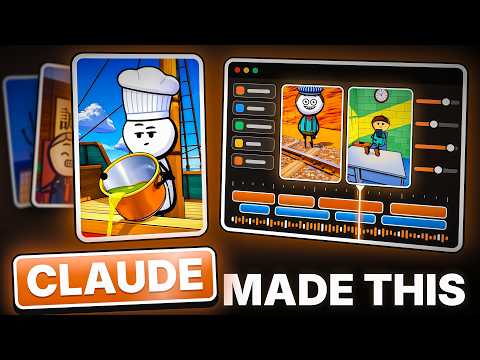
Millions of views, no cuts, and the camera never stops moving. I studied how this kind of Short is made, rebuilt the technique in Blender with code, and show every step, every mistake and every fix.
THE SKILL
Everything I learned (every rule and every fix) is saved as one skill.
https://github.com/JessyCL/blender-sp...
I'll share the complete version once it's fully stable.
CHAPTERS
0:00 Millions of views, and this one is mine
0:36 Research: three layers (script, visuals, camera)
2:23 The tools I picked
2:41 The plan: story, script and voice
3:26 Storyboard, named camera moves and transitions
4:12 Audit the plan: wind, dust, shadows, glow
4:33 Characters: flat figures in code
5:03 The world and the light in Blender
5:39 The problems and how I fixed them
6:32 The shot I rebuilt many times
7:34 The mistake that was my own fault
8:09 Ours next to his: measuring my Short
8:51 The result, three lessons, and what's next
PROMPTS (copy and paste)
Study the reference channel (0:36)
Download the last 18 Shorts of this channel. For every frame, measure the camera motion, the cuts, the brightness, contrast and saturation, and the loudness. Give me numbers, not opinions.
Measure, don't guess (2:09)
Don't tell me what you think of this video. Measure it, and give me the numbers.
The tools (2:23)
Use Blender with Python scripts for the 3D set and the camera. Paint the textures in code with Pillow. Time the captions with Whisper. Join everything with ffmpeg.
Story and script (3:11)
Find a mystery with a picture. Check every fact first, and drop any number you can't confirm. Then write 62 seconds: one strange action first, one odd clue, then "You see", then an everyday example.
Voice, with an emotion tag (3:17)
[curious] First, I needed references. A lot of them.
Storyboard (3:26)
Make a storyboard. One named camera move for every sentence, and one named transition for every join. Show the seconds.
Camera moves (3:40)
Use only these camera moves: creep, push in, pull back, tilt reveal, crane, orbit, whip, fly through, rack focus, hold. One per sentence, arriving on the key word.
Transitions (3:51)
Name every join: circle match, anchored dissolve, dust puff, whip on a flying object, sand fill, face match cut. No hard cuts. Never the same transition twice in a row.
Audit the plan (4:12)
Audit my plan: how many times does it mention wind, dust, shadows and glow? Add a detail layer to every shot.
Characters (4:33)
Draw flat stick figures in code. Egg-shaped heads, an uneven ink line thicker on the shadow side, thin limbs, swappable faces, clothes, sweat, tears, and a mouth that moves only when they speak.
Environment and light in Blender (5:11)
Build every place as real 3D in Blender with Python, even the tomb. One fixed sun, a warm rim on every character, real shadows, dust and blur. Put each layer a hair above the one below, and test for flicker.
Check animation frames (5:45)
Compare animation frames, not stills.
Rebuild a shot (6:47)
Rebuild the shot. He stays bent. The camera flies through the crowd, pointing at the statue. The painting appears, zoom into the painted face, match-cut to the real hero. The camera never climbs.
Never cut quietly (7:34)
Next time, tell me if you are going to remove something.
The loop (7:48)
Watch the video. List each problem with its second. Fix them. Render only the clips that changed.
Measure your own Short (8:09)
Measure my Short the same way: moves a minute, median move, holds.
TOOLS
Blender, Python, Pillow, Whisper, ffmpeg, and a text-to-speech voice generator.
WHAT I MEASURED (same method for his Shorts and mine)
His Shorts 06, 07 and 08: about 24 camera moves a minute, a median move of about 1.2 s, and the camera nearly still for 35 to 52 % of the frames. His Short 14 (the chained style): 12.3 moves a minute, 2.93 s, 20 % still. My Short: 11.6 moves a minute, 2.83 s, 20 % still.
TELL ME WHAT TO EXPLAIN NEXT
What kind of video do you want me to explain next? Write it in the comments. I'll pick from them.
#blender #animation #3danimation #claude