DaVinci Resolve SPEED EDITOR Search Dial - Cut Page Tutorial
76K views · Dec 29, 2020 · Education

Comments · 231
@CreativeVideoTips · 5 years ago · pinned
<a href="https://www.youtube.com/watch?v=Y46SNa3qTpc&t=0">00:00</a> - Speed Editor Search Dial<br><a href="https://www.youtube.com/watch?v=Y46SNa3qTpc&t=43">00:43</a> - Shuttle with Search Dial<br><a href="https://www.youtube.com/watch?v=Y46SNa3qTpc&t=60">01:00</a> - Jog with Search Dial<br><a href="https://www.youtube.com/watch?v=Y46SNa3qTpc&t=100">01:40</a> - Scroll with Search Dial<br><a href="https://www.youtube.com/watch?v=Y46SNa3qTpc&t=132">02:12</a> - Trim In and Trim Out with Search Dial<br><a href="https://www.youtube.com/watch?v=Y46SNa3qTpc&t=234">03:54</a> - Roll Edit with Search Dial<br><a href="https://www.youtube.com/watch?v=Y46SNa3qTpc&t=255">04:15</a> - Slide Edit with Search Dial<br><a href="https://www.youtube.com/watch?v=Y46SNa3qTpc&t=271">04:31</a> - Slip Edit with Search Dial<br><a href="https://www.youtube.com/watch?v=Y46SNa3qTpc&t=312">05:12</a> - Move A Shot with Search Dial<br><a href="https://www.youtube.com/watch?v=Y46SNa3qTpc&t=338">05:38</a> - Transition Duration with Search Dial<br><a href="https://www.youtube.com/watch?v=Y46SNa3qTpc&t=349">05:49</a> - Transition Type with Search Dial<br><a href="https://www.youtube.com/watch?v=Y46SNa3qTpc&t=410">06:50</a> - Title Font Selection with Search Dial<br><a href="https://www.youtube.com/watch?v=Y46SNa3qTpc&t=442">07:22</a> - Audio Levels with Search Dial<br><a href="https://www.youtube.com/watch?v=Y46SNa3qTpc&t=470">07:50</a> - Marker Color with Search Dial<br><a href="https://www.youtube.com/watch?v=Y46SNa3qTpc&t=496">08:16</a> - Viewer Window Size with Search Dial<br><a href="https://www.youtube.com/watch?v=Y46SNa3qTpc&t=531">08:51</a> - Close Up Y Position with Search Dial
6
@Caztopia · 2 years ago
You know how most youtubers kind of seem exasperated? I love how this guy perpetually looks like life is going awesome for him but he's trying to keep it on the down low. Makes me feel warm and fuzzy.
12
@EdwardKilner · 3 years ago
Hardly ever save a video. Did just now. Pace was excellent, clear spoken dialogue. Detail of your actions clear. You should emulate this in every video. Thank you.
5
@Scarboroughthroughthelens · 1 month ago
Brilliant!!! Firstly, you are easy to listen to, as you speak at a normal speed, and your actions are at a normal speed too. 90% of content creators speak that fast and clickclickclick it makes it almost impossible to follow tutorials, especially when I don't know what I am doing.<br>Secondly, your content is great. <br>I have a speed editor coming tomorrow and am trying to learn how to use it, I have watched loads of tutorials, but I have stopped watching nearly all of them as I can't follow the pace.<br>Yours are different, and I find them easy to follow, concise and accurate. Please keep up the good work. Oh, and I have subscribed; many thanks.
@keithdennis5085 · 5 years ago
I've just recently become aware of your channel. As I now have one of these Speed Editors, I've been binge watching all your videos on this topic. So far, I've learned a great deal; Thank you!
14
@3csinapod195 · 5 years ago
This is the video I needed to decide on my my editing software. Thanks 👍
8
@bartabplanalp6458 · 7 months ago
You have a great intuitive grasp of your audience, and it shows with your cadence, examples, and patience. Thank you.
2
@jeromeweaver809 · 5 years ago
I recently received my speed editor. I greatly appreciate your videos. I will watch more of your videos. Thank you!
3
@MichaelJohn-ir5bl · 3 years ago
BRO! I'm super grateful for you style of teaching. I've tons of video on this and you keep it so simple!
@wiredcreator5999 · 4 years ago
Currently watching all of your speed editor videos as I am getting mine this evening . You did awesome on this series just letting you know that I've subbed!
1
@adrain5714 · 2 years ago
Just got my speed editor yesterday...as said in so many of the videos more chatter about how not useful this equipment seemed. Then you presented the sweet how to...and has made this a very powerful tool. I won't live long enough to become the master editor you already are..but the videos I do make on my level will improve and I will be able to kick more of them out...thanks..I will be following you as one of my main instructors/pro editors.
@SeekingBirdiesGolf · 5 years ago
I feel like this channel is going to cause me to buy new gear... haha. Great stuff!
3
Up next

EVERY DaVinci Resolve SPEED EDITOR Modifier Key Explained - Tutorial
Creative Video Tips · 90K views

Speed Editor Tutorial & In-Depth with the Cut Page [PART 1] for Beginners by a PRO.
Darren Mostyn · 236K views
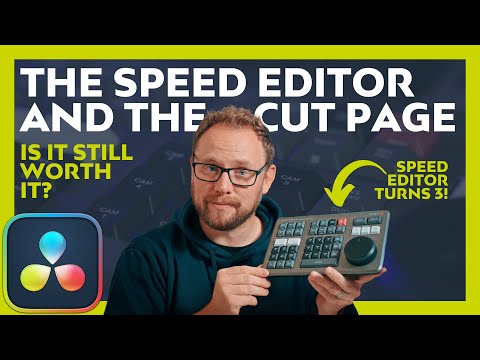
Unlock Your Video Editing Potential with the Speed Editor & Cut Page
Alex Cameron - Depiqd · 25K views

Resolve Speed Editor Long Term Review. Still worth it?
George Kamenov · 22K views

The Loudness Secret to Mixing YouTube Videos with DaVinci Resolve
Creative Video Tips · 369K views
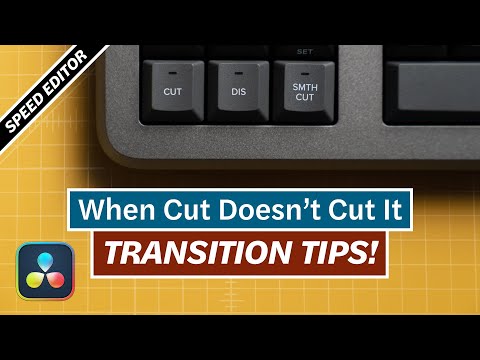
How to add TRANSITIONS in DaVinci Resolve - SPEED EDITOR Tutorial
Creative Video Tips · 29K views

Davinci Resolve Speed Editor - How to with Grant Petty from Black Magic Design
Rob C · 53K views

FOOLPROOF Multicam Tips with the DaVinci Resolve Speed Editor
Creative Video Tips · 62K views

STOP Struggling with CUT PAGE! - #1 secret revealed!
Darren Mostyn · 217K views

Davinci Resolve Speed Editor Masterclass - YOU NEED THIS FOR YOUR EDITS!
Post. Color. Gear. · 23K views

DAVINCI RESOLVE SPEED EDITOR - Does it work on the EDIT PAGE?! Overview, Q&A and Demonstration
MrAlexTech · 179K views

Davinci Resolve Speed editor tools and functions complete
VIDTOOLZ · 43K views

Der SPEED EDITOR für DaVinci Resolve - Alle Funktionen erklärt!
Marco Schreiber · 36K views

CONQUER the COLOR Page in DaVinci Resolve!
Daniel Batal · 552K views

Speed Editor for DaVinci Resolve 17 - not me, the New Keyboard!
Alex Cameron - Depiqd · 41K views

Master Lighting in 20 Minutes
Tomorrows Filmmakers · 282K views

The simple thing most colorists never learn
Cullen Kelly · 182K views

9 Editing Tips To Save HOURS in DaVinci Resolve!
Sightseeing Stan · 302K views

The DaVinci Resolve Speed Editor is Actually GREAT.
Jake Felzien · 30K views

In Depth DaVinci Resolve Video Editing Tutorial - Mac & PC 2026
Content Creators · 592K views