The ULTIMATE Slicer Panel in Power BI
262K views · Aug 28, 2022 · Science & Technology

Comments · 249
@HowtoPowerBI · 4 years ago · pinned
If you are interested in taking your Power BI Design Skills to the Next Level check out my 4 weeks program: <a href="https://my.datatraining.io/pages/powerbidesigntransformation">https://my.datatraining.io/pages/powerbidesigntransformation</a>
13
@sukoi2113 · 4 years ago
This is so much fun and next level thing. You are the "Bear Grylls" of Power BI, the way you consume every possible features in it. I bet not even the developer team behind ever thought of these tricks.
70
@kostaszogo21 · 4 years ago
This guy deserves more subscribers than Netflix and Disney+ combined...<br>Great video Bas, continue spreading that wisdom!
33
@innocentigiwa5509 · 4 years ago
What inspires you? because these innovations are truly extraordinary
2
@RichardOliver · 4 years ago
I love the way you acknowledge the (current) product shortcomings but find a way to work round it. Very creative!
16
@stutisinghal1514 · 2 years ago
So much to learn just from one video
1
@karthikprabhakar2888 · 3 years ago
Just falling in love with all the manipulations and how ur fooling with the functionalities to bring the BEST of the BEST, just amazing, Brilliant! 💓💓💓💓💓
1
@ASHUTOSHTRIPATHI01 · 8 months ago
what a amazing teacher you are ...you teach a harder things in a simple manner so each and everyone.Thanks for Sharing the wonderful knowledge.
@chd0327 · 4 years ago
Super underrated channel. Really love your videos
1
@coreyayers3623 · 2 years ago
Really Really well done! I am bingeing your videos! Love the easy to understand directions and your focus on things looking nice! Well done keep them coming!
@hi_vishy · 4 years ago
Definitely deserve many more likes and subscribers.
@Vittoria222 · 4 years ago (edited)
I watched the video and immediately implemented the idea in my Power BI report! Thank you!
Up next

How to create Power BI In-Page Navigation with Bookmarks and Buttons
ExcelFort · 280K views

DAX Filter Context Basics [Full Course]
Pragmatic Works · 105K views

System Design for Beginners (2026)
KodeKloud · 890K views

Upgrade Your REPORT DESIGN in Power BI | Complete Walkthrough From A to Z
Bas Dohmen | Data Training · 2.9M views

📊 How to use Power BI DAX - Tutorial
Kevin Stratvert · 1.6M views
Use Power Query Better Than 99% Of People
Goodly · 240K views

WINDOW Function in ACTION I Examples in Power BI
Bas Dohmen | Data Training · 106K views

DATE TABLE for Power BI using Power Query
Bas Dohmen | Data Training · 184K views

How to Build a Power BI Portfolio with AI (All prompts, skills & error fixing)
Lukas Reese · 1.4K views

SUPERCHARGE VISUALS in Power BI | Add KPIs to Titles
Bas Dohmen | Data Training · 102K views

Can’t INPUT DATA in Power BI? Here is a WRITE BACK Option with Power Apps!
Bas Dohmen | Data Training · 421K views
NEW! Dynamic Slicers with Fields Parameters | ULTIMATE EXAMPLE in Power BI
Bas Dohmen | Data Training · 195K views

Power BI from ZERO to Your First Dashboard (in 20 Minutes)
Leila Gharani · 3.1M views

Power BI Update - November 2026
Microsoft Power BI · 60K views

Build a TOGGLE BUTTON Like a PRO in Power BI
Bas Dohmen | Data Training · 313K views

The Riemann Hypothesis, Explained
Quanta Magazine · 8M views

NEW Power BI Card Visual Nov 2023 | Full Tutorial from Basic to Advanced (PBIX File Included!)
Maven Analytics · 194K views

Learn Data Modeling Before You Use Claude
Goodly · 16K views
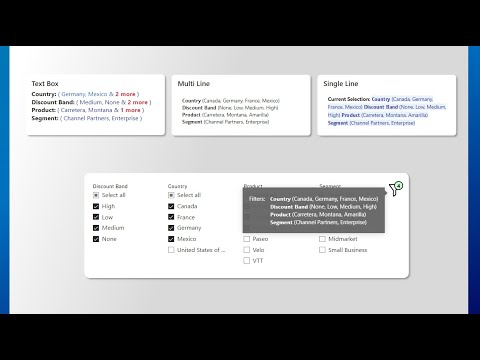
Top 5 ways to show ACTIVE FILTERS in Power BI
Power BI Park · 27K views

The ART of Subtle ANIMATION in Power BI
Bas Dohmen | Data Training · 122K views