Unlocking Lightroom’s Most Confusing yet Powerful Tools!
53K views · Aug 24, 2022 · People & Blogs

Comments · 154
@MarkDenneyPhoto · 4 years ago (edited) · pinned
🌟QUICK QUESTION: Clone or Heal? Which do you use most often?
4
@dkproductions · 4 years ago
Mark, these days I come to your videos 50% for learning reasons and 50% for the calming atmosphere. You are like the Fred Rogers of photography. Thanks for everything you do!
7
@andycoleman2708 · 4 years ago
If you're thinking about a part 2 to this video, what about the difference between using "contrast", using the tone curve, or using the black and white sliders?
26
@svetlanagrobman3476 · 4 years ago
I would love to hear about differences between HSL, calibration and color grading.
10
@ArmandoDuarte · 4 years ago (edited)
Vibrance protects skin tones, is not so aggressive in the yellows reds and oranges, as it is with other colours of the wheel. If you have used a photo with people, it would be more explicit. <br>The other differences explained in the video are very well illustrated. <br>Thank you, and keep doing your excellent vídeos! 👏
5
@ko300zx · 4 years ago
I've gone back and edited some older photos using what I've learned on your channel and there is a night and day difference. Especially shifting some greens toward yellows in some of my older landscape shots. Thanks for all the great info!
12
@davidligon6088 · 4 years ago (edited)
Probably one of the most useful “intermediate” Lightroom video I’ve seen. Agree, good thing to learn Photoshop for Heal and Clone any day. Removing objects (other than dust spots and small particles) with Lightroom is painful and often fruitless.
5
@kenstickrod840 · 4 years ago
Once again a wealth of knowledge and skill enhancements Thanks again Mark
@prsearls · 4 years ago
That was a good (and clear) demonstration and explanation of those important sliders I always use (sparingly, usually).
@glenclarke1294 · 3 years ago
Thank you very much. Again I find myself pausing and asking notes of you pearls of knowledge and understanding. Adobe should pay you - excellent.
@richardpesce5325 · 4 years ago
Thanks again Mark, this clarifies a great deal.
@lensofsolacephotography · 4 years ago
Thanks for this one Mark!
Up next

Unlocking Lightroom’s Darkest Editing Secret!
Mark Denney · 328K views

Exposing Lightroom’s Undercover Tool for Over-Edited Photos!
Mark Denney · 42K views

Before you delete a NOISY PHOTO, do THIS!
Simon d'Entremont · 295K views

A Hard Lightroom Skill that Pays Off Forever!
Mark Denney · 180K views

Adobe Is Finally Listening to Us
Mark Denney · 61K views

Exposing Lightroom's Mystery Tool You Never Knew Existed!
Mark Denney · 80K views

The Real Problem With "Purist" Photography.
Mads Peter Iversen · 71K views

Get your ISO 12,800 photos looking like new!
Simon d'Entremont · 298K views

Composition | Part 3: Why Many Photos Are Boring (Even When the Composition Is Right)
Martin Osner · 34K views

Lightroom Classic 16.0: 7 New Features You Need to Know
Terry Vander Heiden · 29K views

How I EDIT My LANDSCAPE Photos
Mark Denney · 88K views

Unlocking Lightroom’s Best Kept Editing Secret! (you may be surprised)
Mark Denney · 55K views
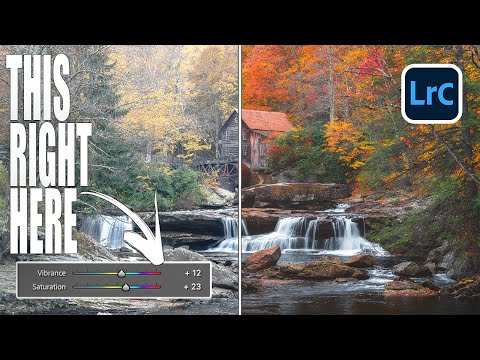
Stop Using this Common Editing Tool on your Landscape Photos! There's a better way..
Mark Denney · 55K views

Scott Kelby’s 10 Amazing Landscape Editing Tips | OPTIC 2021
B&H Photo Video Pro Audio · 184K views

How to Edit Single Exposure Milky Way Photos | Beginner-Friendly Photoshop & Camera Raw Tutorial
Mihail Minkov · 321 views

Revealing Secret Lightroom Tricks PROs Use to FOOL You!
Mark Denney · 176K views
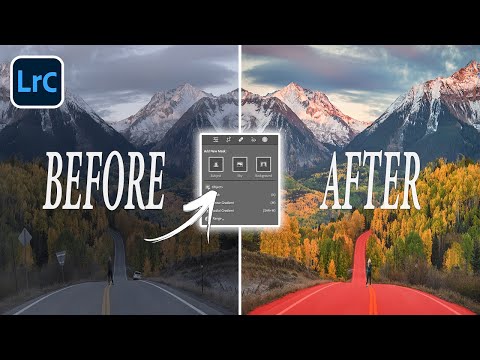
the Brand-NEW Lightroom Tools You NEVER Thought You Needed! (Dec 22 Update)
Mark Denney · 62K views

Why does the energy of a magnet NEVER run out?
Infinite Physics · 151K views

Pro Lightroom Cheat Codes Beginners Must Activate in 2023! (shift double click)
Mark Denney · 88K views

LEARN PHOTOGRAPHY FAST - Complete Course in 30 MINUTES
Chris Bray Photography · 56K views