5 Great Beginner Motion Graphics Techniques | DaVinci Resolve Tutorial
562K views · May 4, 2023 · Film & Animation

Comments · 412
@SonduckFilm · 3 years ago (edited) · pinned
Please drop a like on this video :)<br>My Transitions and Motion Graphics Pack For DaVinci Resolve here: <a href="https://www.sonduckfilm.com/product/editorpro/">https://www.sonduckfilm.com/product/editorpro/</a>
39
@ac-hq9zb · 2 years ago
Because one time payment is better then paying every month DaVinci for the winnnnnnn🎉🎉🎉🎉🎉🎉🎉🎉🎉🎉🎉🎉🎉🎉🎉
51
@opensourceinitiative1333 · 1 year ago
I must comment that as a beginner who just downloaded Da Vinci 30 mins ago, this is the best video for learning motion graphics. Thanks a bunch.
33
@ReidVV · 2 years ago (edited)
A year old, but your are so much more on point and clear than other tutorial creators. Rapid, organized and no time wasted on any content that is irrelevant. Fast, clear learning, as it should be. More please. We need you. Fusion needs you. Blackmagic Design needs you. We all really do. Thanks. Truly. Gratitude. G
53
@AlexMilanese · 3 years ago
You’ve taught me so much about After Effects over the years, and I would love it if you would be willing to show us how to do all those same things in Fusion. Honestly, I’ve wanted to switch to DaVinci for a long time, but the thought of re-learning motion graphics in an unfamiliar node-based software is intimidating. I literally got so excited when I saw this video because if you are willing to make the tutorials on how to do your style of motion graphics in Fusion, then I’m 100% sold on switching to DaVinci. Seriously, thank you in advance. You have no idea how valuable this is to me. Have a great day!
85
@Erazerproject · 3 years ago
It would be great to see more tutorials on motion graphics in fusion from an experienced motion designer. I quite often use tutorials on AE and then just repeat the same tools in fusion. <br>I would like to see advanced techniques and adaptations of AE techniques in fusion. <br>There are a lot of materials on fusion dedicated to complex compositing, but not enough on motion graphics so far.
31
@OurVoicesOurLives · 3 years ago
Yes, more tutorials for DaVinci Resolve please!!! I’ve been using Resolve exclusively for personal and freelance projects since 2019.
26
@mfjae · 3 years ago
Been waiting forever for this
5
@AshleyCichocki · 3 years ago (edited)
Great Tutorial! I originally switched to Davinci Resolve for 3 reasons: Node based editing, better colour grading and I don't like Adobe. I later found that the Edit tools are really efficient, and using Expressions and Macros can really speed up the work flow. Davinci doesn't have an intuitive UI, but then After Effects is a real dog's dinner of a software. As soon as I got the hang of Davinci it became a joy to use, and it's getting better all the time.<br><br>The only downside is that there are so few tutorials, and most of the decent ones are focused around film editing and colour grading. As a fan of your After Effects tutorials, it was like Christmas to find that you guys were considering doing Davinci tutorials. It really feels like Davinci is gaining momentum, and there is a gap in the market for content that leans towards motion graphics. Please continue!
36
@AtlasRandGaming · 1 year ago
Got tired of paying Adobe for all the apps I don’t use. Living davinci
4
@undahandeddrumma · 2 years ago
I switched to Resolve about 19 months ago from Premiere. I was tired of the constant crashing and hanging when trying to render a video. <br><br>I’ve had multiple custom built PC’s and silicon Mac’s and it’s always the same story. <br><br>Enter Resolve. There was no doubt a bit of a learning curve, but watching a few videos on setting up controls for speed and efficiency, and I could never go back. <br><br>Resolve just works. So much, in fact, that I ended up shelling out the $295 for (LIFETIME) access to the studio version. <br><br>I have 0 regrets. <br><br>Thanks for the video! Great tutorials
16
@abhisheksingh-le3kr · 1 month ago
Thank you so much Sir for this amazing knowledge!! It helped me a lot!! 🙏🙏🙏🙏
Up next

Duplicate Node Explained [DaVinci Resolve Fusion]
TOBORA! · 312 views

Bitmap Node Explained [DaVinci Resolve Fusion]
TOBORA! · 1K views

Mastering Motion Graphics in DaVinci Resolve | FUSION BREAKDOWN | Motion Graphics
Resolve Cut · 268K views

Fusion Explained in PLAIN LANGUAGE - DaVinci Resolve Tutorial for Beginners
Casey Faris · 111K views

5 Motion Graphic Skills All Davinci Resolve Users Should Know
DuckTUT · 125K views

Make Cinematic Motion Graphic Stories in After Effects
SonduckFilm · 409K views

Animation in DaVinci Resolve Fusion - From Basics to Full Motion Control
Valentin Granata · 16K views

DaVinci Resolve Fusion Tutorial – Learn Motion Graphics & VFX
Kevin Stratvert · 360K views

5 Cool DaVinci Resolve Effects on the Edit and Fusion Pages
DaVinci Resolve Editing · 121 views

How to put TEXT BEHIND moving objects | Davinci Resolve Tutorial
Sergio Mota | Academy · 633K views

The 5 Levels of Animation That Every Editor Must Master (DaVinci Resolve)
Wampus · 870K views

The simple thing most colorists never learn
Cullen Kelly · 182K views

Get Background Music in Your Video to Sit Perfectly - DaVinci Resolve
Daniel Batal · 58K views

6 FREE Davinci Resolve Effects I Use On EVERY PROJECT!
Dunna Did It · 1.1M views

4 DaVinci Resolve Motion Graphics For Beginners | Tutorial
SonduckFilm · 171K views

I Built A Business From Scratch Only Following Claude’s Advice
Mark Tilbury · 1.6M views

Master 3D Camera Movement in DaVinci Resolve (in 5 Minutes)
Adam Blue · 129K views
7 BEST Text EFFECTS in Davinci Resolve Free | Tutorial
Sergio Mota | Academy · 1.5M views
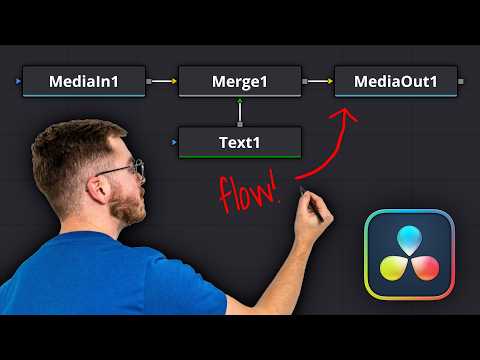
Fusion Nodes Explained – DaVinci Resolve Beginner Tutorial
Joel Van Beek · 32K views

How to Add Text in DaVinci Resolve 21 - Easy Motion Graphics Tutorial
Casey Faris · 128K views