How Linux Boots
379K views · Nov 15, 2025 · Howto & Style

Comments · 629
@gkarapeev · 1 year ago
False. We do care that much and we DO want 5 hours worth of video about how it boots in-depth. YouTube has turned into TikTok. And that’s exactly why there is a tremendous shortage of actual in-depth knowledge here. Please be the one who provides it.<br><br>P.S amazing video as it is! Thank you for putting it out here! 🙏
1.2K
@edumeli02 · 10 months ago (edited)
The rabbit hole would go pretty deep if you went into detail on the way the CPU boots up at power on, there's actually a huge amount of work done before you even reach GRUB; at the start the CPU points at a reset vector and for a very short while the CPU works in 16 bit Real Mode before kicking itself into 32 bit Protected Mode and 64 bit Long Mode (default operation mode these days), it would be quite a fun topic to explore in its own right
160
@Raggzzaug11 · 10 months ago
Linux is becoming very popular since windows11 came out.
449
@chemloaf3020 · 10 months ago
A full 6 hour detailed walk through would be awesome, actually!
68
@tekvax01 · 1 year ago
LBA stands for Logical Block Addressing... and it maps the old style of sectors, cylinders, heads, and platters, into a logical numbered block of storage sequential locations.
49
@gariannobinger9933 · 1 year ago
LBA is Logical Block Addressing, btw
116
@johnopalko5223 · 7 months ago
If I recall correctly the run levels were:<br><br>0 -- Halt<br>1 -- Single-user<br>2 -- Multiuser<br>3 -- Multiuser with networking<br>4 -- Not generally used<br>5 -- Multiuser with networking and graphics<br>6 -- Reboot<br><br>There was also a run level S, which was single-user but subtly different from 1 in a way I never did fully understand.<br><br>My memory may be fuzzy. It's been a long time.
4
@GogiRegion · 4 months ago
One of my favorite things with GRUB is not just the ability to do multiple kernels, but the ability to do multiple kernel options. I have both of my Linux systems set up to where the GRUB menu lets me choose whether to boot it up to TTY or whether to boot up a display manager as well. GRUB generates the config files using shell scripts, so it's really easy to copy and paste the default options then add the option you need.
1
@audiolatroushearetic1822 · 1 year ago
Just started the video, can already answer the question: "Very reliably, thank you Sir!"
125
@dalxyon · 10 months ago
Correction, PCs still beep when POST completes. Most PCs don't have have speaker installed on the motherboard since most users decide not to install one. Every PC I have built has a speaker and every one of those PCs beeps after POST. Laptops typically don't because they don't have speakers installed for that purpose. They will instead use the regular speakers for errors (DELL) or they won't and will instead show a beep code using LEDs somewhere to signify specific errors.
@defooraap · 8 months ago
There's more than one way to output P.O.S.T. codes.<br>Beeps, led flashes, segment displays etc..<br>Modern motherboards can still have beeps, if there's a speaker present. (check the front panel connector)
3
@timmycasey · 11 months ago
FWIW, in the old init days, run level 6 meant restart - so you could reboot your system by running "init 6" at the command line.
7
Up next

Learning The Linux File System 2025
Joe Collins (EzeeLinux) · 110K views

Linux Backup Strategies | Exploring the rsync Command
Joe Collins (EzeeLinux) · 20K views

How C Really Works
Cave of Programming · 285K views
Beginner's Guide to the Bash Terminal
Joe Collins (EzeeLinux) · 2.5M views
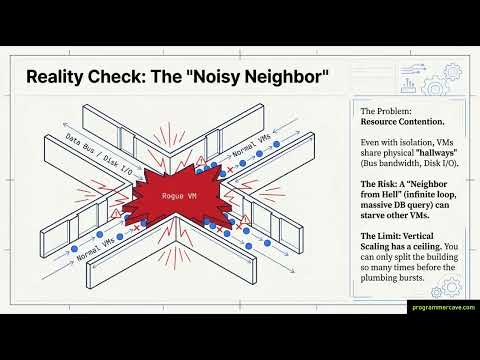
How Linux Virtualization Works: KVM, QEMU, and Libvirt Explained
programmerCave · 9.4K views

Mind Blowing Super Cool Linux Commands
Joe Collins (EzeeLinux) · 69K views

The Linux Kernel Explained | From Power Button to Disk
SleepingDev · 656 views

Every Level of Reverse Engineering Explained
Low Level · 655K views

How does an OS boot? //Source Dive// 001
Low Byte Productions · 485K views

How to Install Linux From Scratch
tony · 417K views

Steven Rostedt - Learning the Linux Kernel with tracing
OpenFest Bulgaria · 128K views
Introduction to the Ext4 File System for Linux
Joe Collins (EzeeLinux) · 77K views

Linux From Nothing | Kernel, Shell, Libs & Grub
Maple Circuit · 109K views

I Wish Someone Explained SystemD Like This
Zeroes&Ones · 405K views

Building the PERFECT Linux PC with Linus Torvalds
Linus Tech Tips · 9.6M views

The Filesystem is Awesome
Ryan Baker · 399K views

Linux Command Line for Beginners
Keep On Coding · 432K views
Systemd Explained: How to Manage Linux Services Easily
Learn Linux TV · 403K views
How Operating Systems ACTUALLY work (kernel mode vs. user mode)
Ben Dicken · 484K views

Linus Torvalds on the kernel, GenAI, EVs, programming languages and more…
TFiR · 113K views