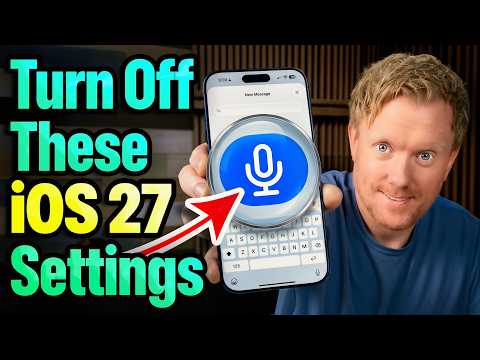
13 iPhone settings to change right now on iOS 27: 8 to turn off, 5 to turn on. Every path was checked against Apple's own iPhone User Guide, because some settings in older videos have moved or been renamed (Wi-Fi Assist is now Connectivity Assist in Settings › Wi-Fi). Grab your phone and do them with me, about 10 seconds each.
CHAPTERS
0:00 13 switches in 8 minutes
0:38 Part 1: Turn these off
0:41 1. Allow Apps to Request to Track
1:05 2. Share iPhone Analytics
1:34 3. Personalized Ads
1:57 4. Significant Locations (the catch)
2:52 5. Background App Refresh
3:14 6. Keyboard haptics
3:32 7. Connectivity Assist (Wi-Fi Assist moved)
3:59 8. Lock Screen access
4:23 Myth check: closing apps + NameDrop
5:05 Part 2: Turn these on
5:09 9. Stolen Device Protection
5:42 10. Charge limit 80%
6:10 11. Separate alarm volume
6:32 12. Screen unknown callers
6:55 13. Back Tap secret button
7:17 Recap
QUICK LIST
Turn OFF: Allow Apps to Request to Track, Share iPhone Analytics, Personalized Ads, Significant Locations history (clear it), Background App Refresh (per app), Keyboard haptics, Connectivity Assist, Allow Access When Locked.
Turn ON: Stolen Device Protection, a charge limit (iPhone 15 and later), a separate alarm volume, Ask Reason for Calling, Back Tap.
Note: Stolen Device Protection needs Significant Locations on, so for most people the best move is Clear History, not turning it off.
SOURCES (Apple)
#1 Tracking - Control app tracking permissions: https://support.apple.com/guide/iphone/con...
#2 Analytics - Apple, Device Analytics & Privacy ("None of the collected information identifies you personally"): https://www.apple.com/legal/privacy/data/e...
#3 Personalized Ads - Control how Apple delivers advertising to you ("may not reduce the number of ads you receive"): https://support.apple.com/guide/iphone/con...
#4 Significant Locations & Routes - Clear location history: https://support.apple.com/guide/iphone/cle...
Apple, Location Services & Privacy ("end-to-end encryption and cannot be read by Apple"): https://www.apple.com/legal/privacy/data/e...
About privacy and Location Services (Precise Location): https://support.apple.com/en-us/102515
Stolen Device Protection needs Significant Locations on: https://support.apple.com/en-us/120340
#5 Background App Refresh + closing-apps myth - Switch apps on your iPhone: https://support.apple.com/en-us/118408
#6 Keyboard haptics ("might affect the battery life of your iPhone"): https://support.apple.com/en-us/102463
#7 Connectivity Assist (replaces Wi-Fi Assist, now in Settings › Wi-Fi; "you might use more cellular data"): https://support.apple.com/en-us/102228
#8 Allow Access When Locked: https://support.apple.com/guide/iphone/tur...
Myth 2 NameDrop: https://support.apple.com/guide/iphone/nam...
#9 Stolen Device Protection: https://support.apple.com/guide/iphone/use... ; https://support.apple.com/en-us/120340
#10 Charge limit (iPhone 15 and later): https://support.apple.com/guide/iphone/set...
Optimized Battery Charging (iPhone 14 and earlier): https://support.apple.com/guide/iphone/opt...
#11 Separate alarm volume (Match Ringtone Volume): https://support.apple.com/guide/iphone/cha...
#12 Screen unknown callers (Ask Reason for Calling / Silence): https://support.apple.com/guide/iphone/scr...
#13 Back Tap: https://support.apple.com/guide/iphone/bac...
Phone screens are drawn illustrations of the real iOS 27 settings. The location history shown (Home, Work, Gym) is a made-up example.
PHOTOS (Wikimedia Commons)
"Beauty Girl Surprise" by Paul Duke (CC BY-SA 2.0); "Hand holding iphone with a setting sun" by Jordan McQueen (CC0); "Woman sitting on a gray chair with a green pillow covering her mouth while looking at a smartphone" and "Person sitting indoors using a phone while resting on a sofa" by Shixart1985 (CC BY 2.0).
MUSIC
"Voxel Revolution", "Bit Shift", "Pamgaea" and "Inspired" by Kevin MacLeod (incompetech.com). Licensed under Creative Commons: By Attribution 4.0 License. http://creativecommons.org/licenses/by/4.0/
SFX: Mixkit (Mixkit Sound Effects Free License).
Narration: text-to-speech.
#iPhone #iOS27 #iPhoneTips