AMAZING “Light Mask” Trick to Remove Hotspots EASY! - Photoshop
185K views · Nov 7, 2023 · Howto & Style

Comments · 111
@photograffic228 · 3 years ago
You are by leaps and bounds my favorite Photoshop teacher on YouTube! So great
65
@XyrusCODMobile · 3 years ago
Awesome Method. If you want to get this effect and avoid hotspots straight out of camera, best to use a polarising filter when capturing your images. It really saves a lot of time.
43
@JimmyDozer · 2 years ago (edited)
EXPORT as 16bit ProPhoto or Adobe RGB as a starting point. The results will be significantly better with this as a foundation. Convert to SRGB when completed. GREAT tutorial!
9
@TimmPfennings · 3 years ago
For me on youtube, by FAR the best PS tutorial contend/channel. Helpfull, great explained & high crisp videoquality !
11
@ridecameraeation6485 · 3 years ago
Nothing is wasted when you explain everything. Hands down to you man.!
4
@crazygamervarungowda · 3 years ago
Bro I don't know how much I can learn from your videos but I am watching all your videos only for your content delivering style I love it bro ❤❤❤❤❤
4
@michaelt1154 · 3 years ago (edited)
The absolute best photoshop teacher on you tube
@dirrtyxrisATX · 3 years ago
The amount of information this man gives is amazing
@Whitebrowpriest · 2 years ago
Thank you again, Unmesh!! Once again you've helped my PS editing improve! You are a superb instructor! God bless you, my friend. 😊
3
@marklutnes935 · 3 years ago
Amazing. Always the best. Thank you, sir!
6
@fxvytalize · 2 years ago
Absolutely one of the BEST tutorial videos I’ve EVER seen. Thank you!!!
1
@dunnymonster · 3 years ago
Brilliant as always Unmesh. Keeping it simple but effective 👍
5
Up next

Remove unwanted hotspots in Photoshop
How To Photoshop · 15K views

Remove UGLY Skin Shine - EASY Photoshop Fix!
PiXimperfect · 466K views

Photoshop Tutorial for Beginners: A Free 3 Hour Masterclass
Bring Your Own Laptop · 6.7K views

How to Clean Up Shiny Faces in Your Photos | Ask David Bergman
Adorama · 105K views

Nobody Expected Cillian Murphy To Be THIS Awkward
Mercazoids · 113K views
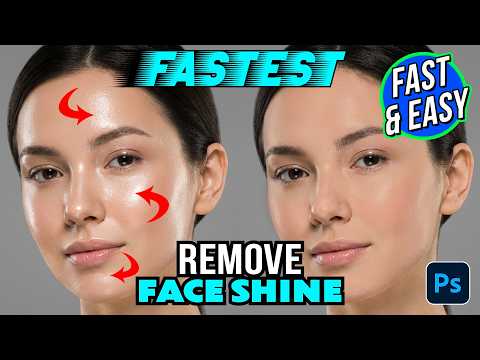
Photoshop Fast & Easy Series!: Remove Shiny Skin FAST!
Photoshop Arthouse · 12K views

No Celebrity Has ZERO Filter Like Sacha Baron Cohen… And It’s Hilarious
Captain Clooney · 1.1M views

7 Photo Mistakes You Can EASILY Fix in Photoshop!
PiXimperfect · 318K views

Master Color Grading: 5 Tricks Pros Hide from You! - Photoshop Tutorial
PiXimperfect · 546K views

432Hz - Alpha Waves Heal The Damage In The Body, Let Go of Negative Emotions, Melatonin Release
Healing Energy for Soul · 3.5M views

Jensen Huang's Silicon Valley House Is MUCH NASTIER Than You Thought
The State Archive · 93K views

Photoshop For Beginners: Easy Guide to Get Started!
Andy Tells Things · 351K views

EASILY remove Hotspots with this SIMPLE trick in Photoshop
Nemanja Sekulic · 49K views

Never Pay for Backgrounds Again! Simple Trick to Get Free Backgrounds for Life
Teelens Visual · 216K views

Fix SKIN TONES and HOT SPOTS in Lightroom with this Easy TRICK! I BET you've NEVER seen this!
Will Simpson - Exploring Photography · 50K views

Photoshop 2027: Top 21 New Features with Pros & Cons!
PiXimperfect · 424K views

How to Remove Overexposed Hot Spots in Photoshop
Kayleigh June · 34K views

The 3 Steps to High-End Skin Retouching in Photoshop!
PiXimperfect · 370K views
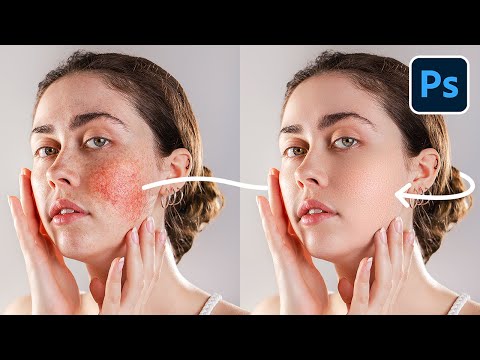
ERASE Blotchy Skin with High-End Retouching Trick! - Photoshop Tutorial
PiXimperfect · 355K views

When Australian Actors Are Forced to Drop Their Accents!
Broader Being · 1.3M views