Edit YouTube Videos FASTER with the DaVinci Resolve Speed Editor!
50K views · Oct 20, 2026 · Howto & Style

Comments · 105
@CaseyFaris · 1 month ago · pinned
FREE VIDEO FEEDBACK: <a href="https://tally.so/r/zxVMaE?utm_source=YTC-9_ofZcAH1tM">https://tally.so/r/zxVMaE?utm_source=YTC-9_ofZcAH1tM</a>
3
@RaduButarascu · 1 month ago
I got mine as part of a similar deal: bought the Speed Editor for $299 and it came with a free license for the full Davinci Resolve. Great marketing strategy and a great device!
12
@SteveMakesEverything · 1 month ago
Finally I can pull that Speed Editor out of my closet and put it to use. Thanks!
3
@TheWildZimbo · 1 month ago
Thanks Casey, I have a Speed editor gathering dust, just put it on charge.
5
@patrickrainville · 1 month ago (edited)
oh the "fixed playhead" is a game changer for the speed editor on the edit page. Great tip!<br><br><a href="https://www.youtube.com/watch?v=9_ofZcAH1tM&t=203">3:23</a> the "split" and "ripl del" keys on the Speed Editor would also work instead of the keyboard shortcuts
5
@KaarloMedia · 1 month ago
You can use the "Selection follows playhead" toggle and have the clip underneath the playhead always selected. This way you can just jog through the timeline and ripple delete as you wish using the keyboard shortcuts. All the other functions still work with the Speed Editor, too.
7
@zackbender7299 · 1 month ago
I use it for film editing as well! You can set up a Kem or selects reel, open that timeline in your source monitor, pancake your timelines, then swap between source and timeline with those buttons on the speed editor, set in&out points and do smart inserts. You don’t need to look away from the screen or use mouse and keyboard for full scene assemblies, it’s awesome.
3
@andresjoberg · 1 month ago
The speed editor (and cut page) is so underrated, I made some videos on my channel when I got it some years ago, the real secret is to dedicate a couple of hours to sit down and just figure out and test every single button on the speed editor and what it does, tapping vs holding and all that.<br>Another great tips is to use it for specific parts of the edit workflow, and test and figure out what works for you - especially for finetuning in and out points, but also for moving clips around swapping whole clips. Working in passes is also a good idea, pass 1 getting all the talking head parts down, pass 2 adding B-roll on top of the talking head parts. But most important is spending those first hours really figuring out how each button work together with the wheel, then you can apply that to your own workflow and make it faster :)
27
@russellrichins7553 · 1 month ago
I have found the speed editor and cut page extremely useful, especially in very quickly assembling initial selections for trailers. It is SO MUCH FASTER! And I've discovered that bouncing back and forth between the edit page and the cut page to be frequently useful. This practice has saved me so much time.
3
@BYWhistory · 1 month ago
I love using my speed editor for multicam edits. Sometimes I'll have 3-6 different camera angles in a multicam clip, and with the speed editor I can use it almost like an ATEM to switch between my different angles and then fine tune my edits with the trim controls. If you have a 2-3 hour show with multiple camera angles editing with this is such a time saver cause you can just jog through your timeline and switch between your angles super fast.
4
@laidbaqq · 1 month ago
I actually wish I purchased the bundle where this was included for the price of the app itself. I grew up watching my father edit videos in the 90s -- the SVHS with the playhead was critical to improving the process.
3
@leoneverest · 1 month ago
I was surprised how solid of a piece of equipment the speed editor is. Wheel feels great and the buttons don't feel cheap. Was an easy purchase when it included a license for the Studio version.
5
Up next

Speed Editor Tutorial & In-Depth with the Cut Page [PART 1] for Beginners by a PRO.
Darren Mostyn · 236K views

Make A YouTube Video from HOURS of FOOTAGE - Quickest DaVinci Resolve Workflow (No AI)
Casey Faris · 41K views

Not just a "Bigger" Speed Editor - The Official DaVinci Keyboard
Creative Video Tips · 72K views

10 Reasons Your YouTube Videos Look Amateur
Casey Faris · 31K views

15+ SHORTCUTS THAT SAVES HOURS IN DAVINCI RESOLVE 21.1
Davinci Basics · 224 views
Edit YouTube Videos FASTER with PROXIES in DaVinci Resolve
Casey Faris · 15K views

Resolve Speed Editor Long Term Review. Still worth it?
George Kamenov · 22K views

Davinci Resolve Speed Editor - How to with Grant Petty from Black Magic Design
Rob C · 53K views

This NEW AI Update just changed DaVinci Resolve forever
Greg Edits Video · 188K views

Davinci Resolve Speed Editor Masterclass - YOU NEED THIS FOR YOUR EDITS!
Post. Color. Gear. · 22K views

Why Everyone Stopped Buying GoPro
ColdFusion · 1.3M views

Fusion Explained in PLAIN LANGUAGE - DaVinci Resolve Tutorial for Beginners
Casey Faris · 111K views

How to TRIM with the DaVinci Resolve SPEED EDITOR - Tutorial
Creative Video Tips · 41K views

DaVinci Resolve 21 Beginners Tutorial: Edit Like A Pro For FREE!
Ben Claremont · 354K views
The DaVinci Resolve Settings 90% of Beginners Have Wrong
Michael Feyrer Jr. · 55K views

Master Lighting in 20 Minutes
Tomorrows Filmmakers · 277K views
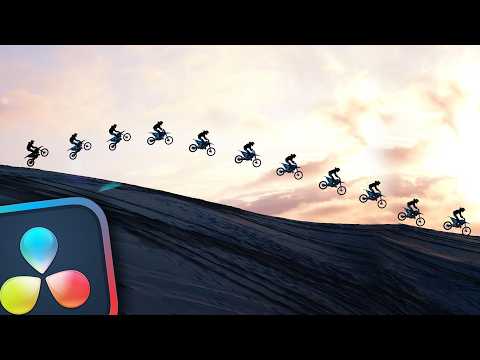
Master the FREEZE FRAME Effect in Davinci Resolve
Jamie Fenn · 103K views

Der SPEED EDITOR für DaVinci Resolve - Alle Funktionen erklärt!
Marco Schreiber · 35K views

20 DaVinci Resolve Hacks I Wish I Knew Earlier
Greg Edits Video · 23K views

Color Grade Sony S-Log 3 for YOUR Youtube Videos! - The Easiest Way!
Casey Faris · 14K views